




Platform

One conference platform, the same standard in every format

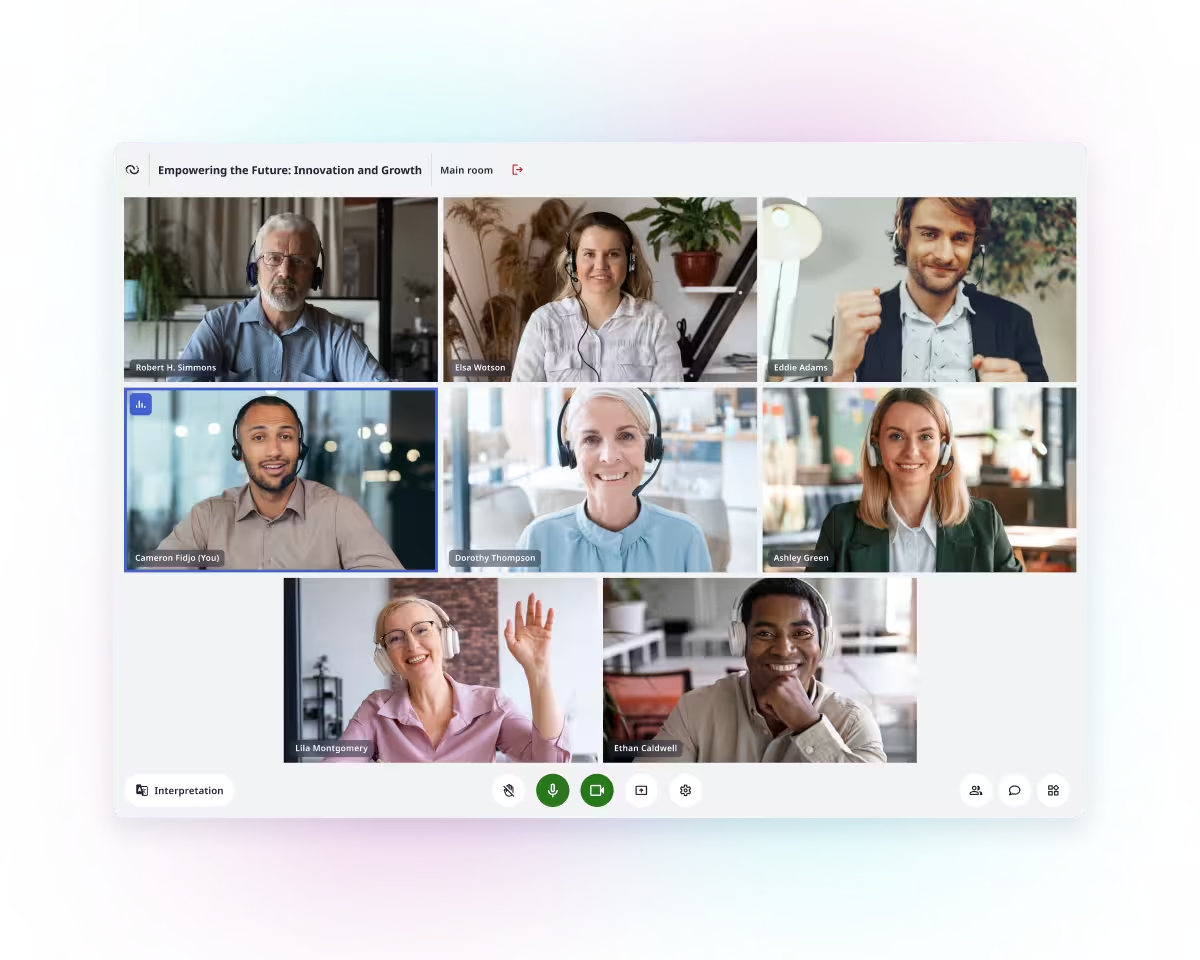
Whatever the format - online, hybrid, hybrid plus, or onsite - the same platform runs the meeting, under the same interpretation and security standards. Delegates in the room and delegates dialing in from a ministry office work the same way. Interactio is used across parliaments, ministries, and UN and EU bodies, and holds ISO 24019 (interpretation) and ISO 27001 (security) compliance in every format.

Institutions that run meetings on Interactio

Consoles

A dedicated console for every role

Each role in a meeting works from its own interface, in the same session. Interactio gives participants, the chair, interpreters, and AV technicians the controls their role needs.

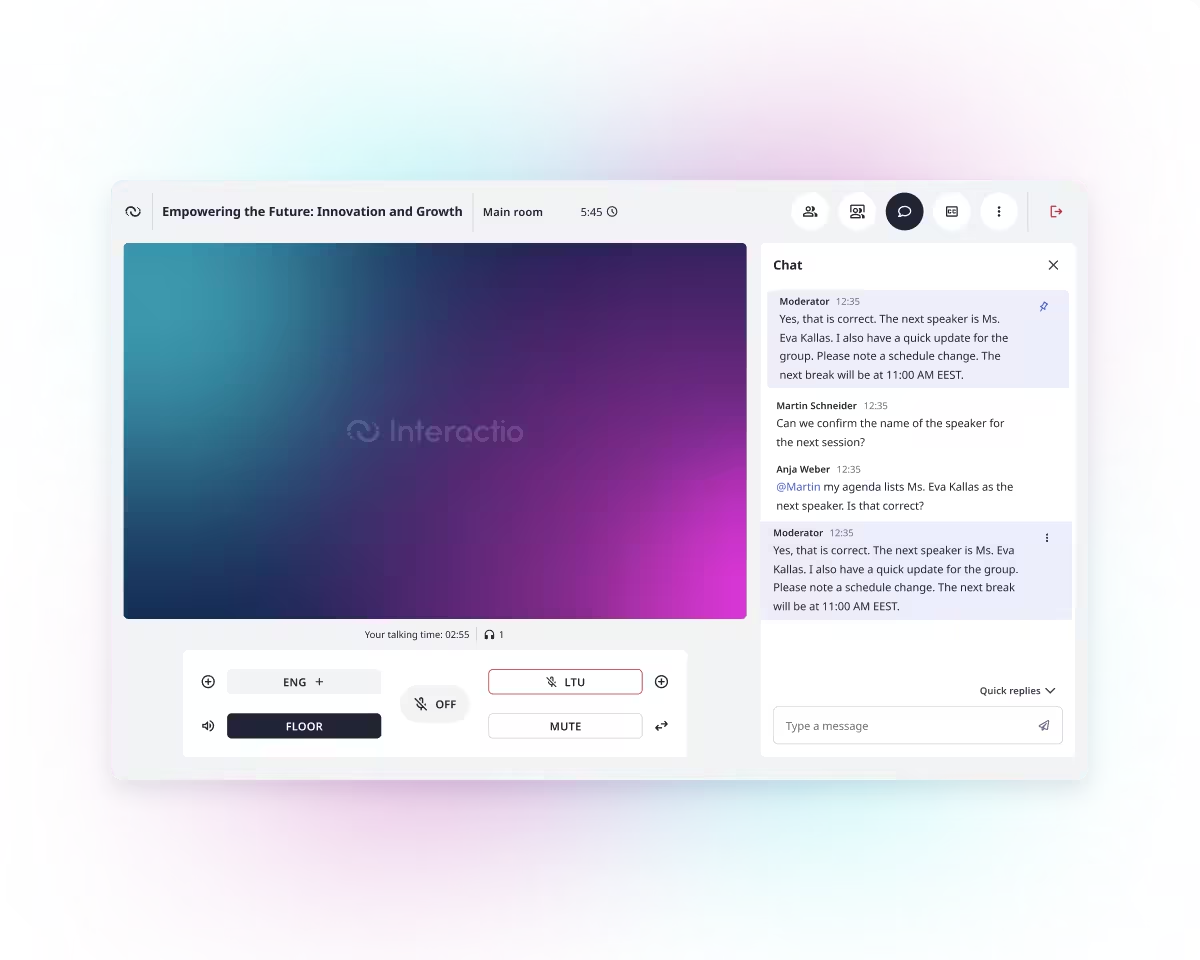
Interactio Participant console with language selection and floor controls

Participant console

One console for every participant

A delegate in the chamber and a delegate joining from a ministry office use the same Participant console, under the same ISO 24019-compliant interpretation. Participants select their language, take the floor, chat, share files, and join polls without switching to a separate app for the room versus remote.
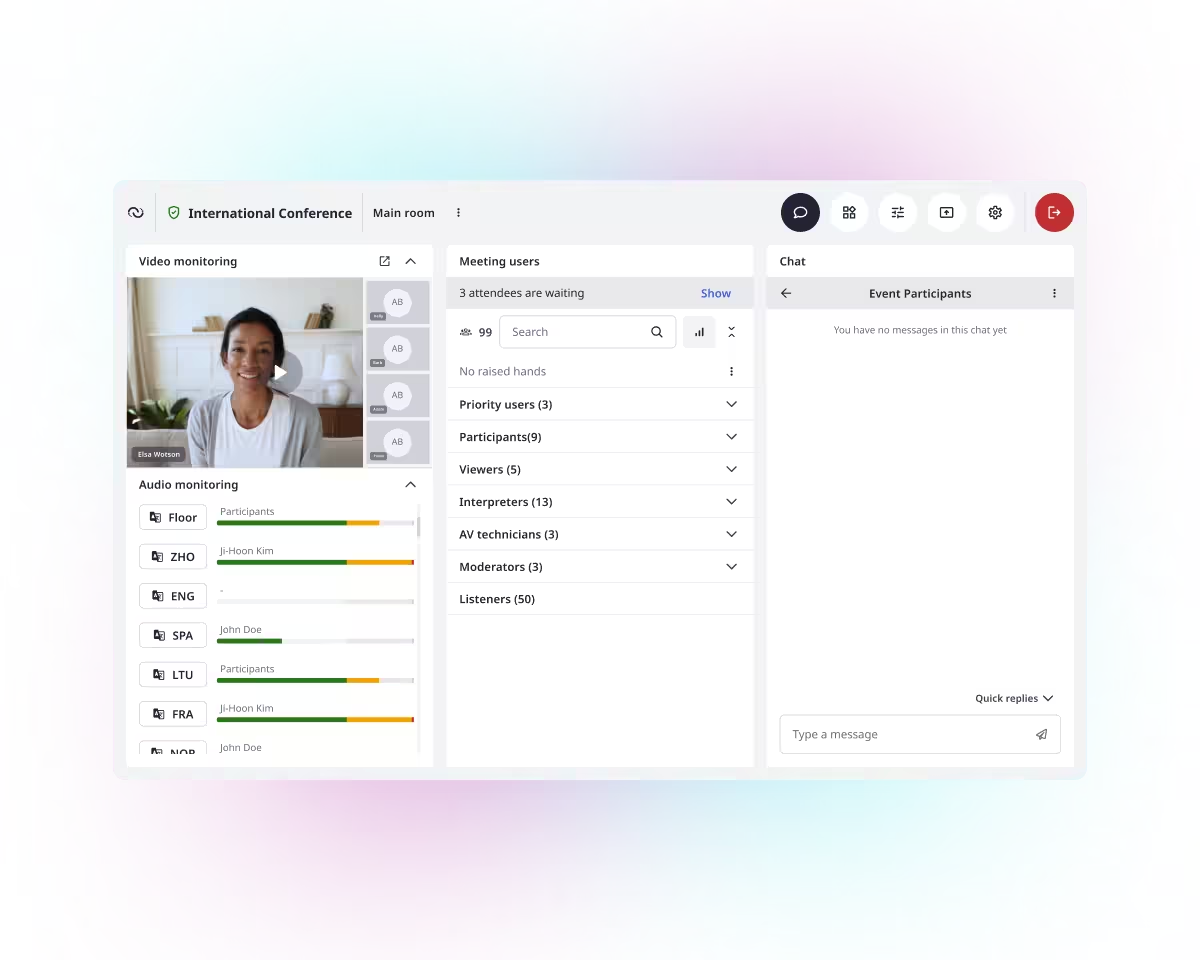
Interactio Moderator console showing meeting flow controls

Moderator console

Chair control that matches procedural authority

The chair or a designated moderator controls meeting flow from a single console - muting, renaming, lowering hands, ending the session. The same authority applies whether the session runs online, hybrid, or hybrid plus, and reaches onsite and remote participants alike.

Interpreter working in the Interactio Interpreter console

Interpreter console

ISO 24019-compliant interpretation, onsite or remote

Interpreters work from the Interpreter console whether they are in the booth or working remotely, under the same ISO 24019-compliant standard either way. Onsite and remote interpreters can share a single booth on the same session.

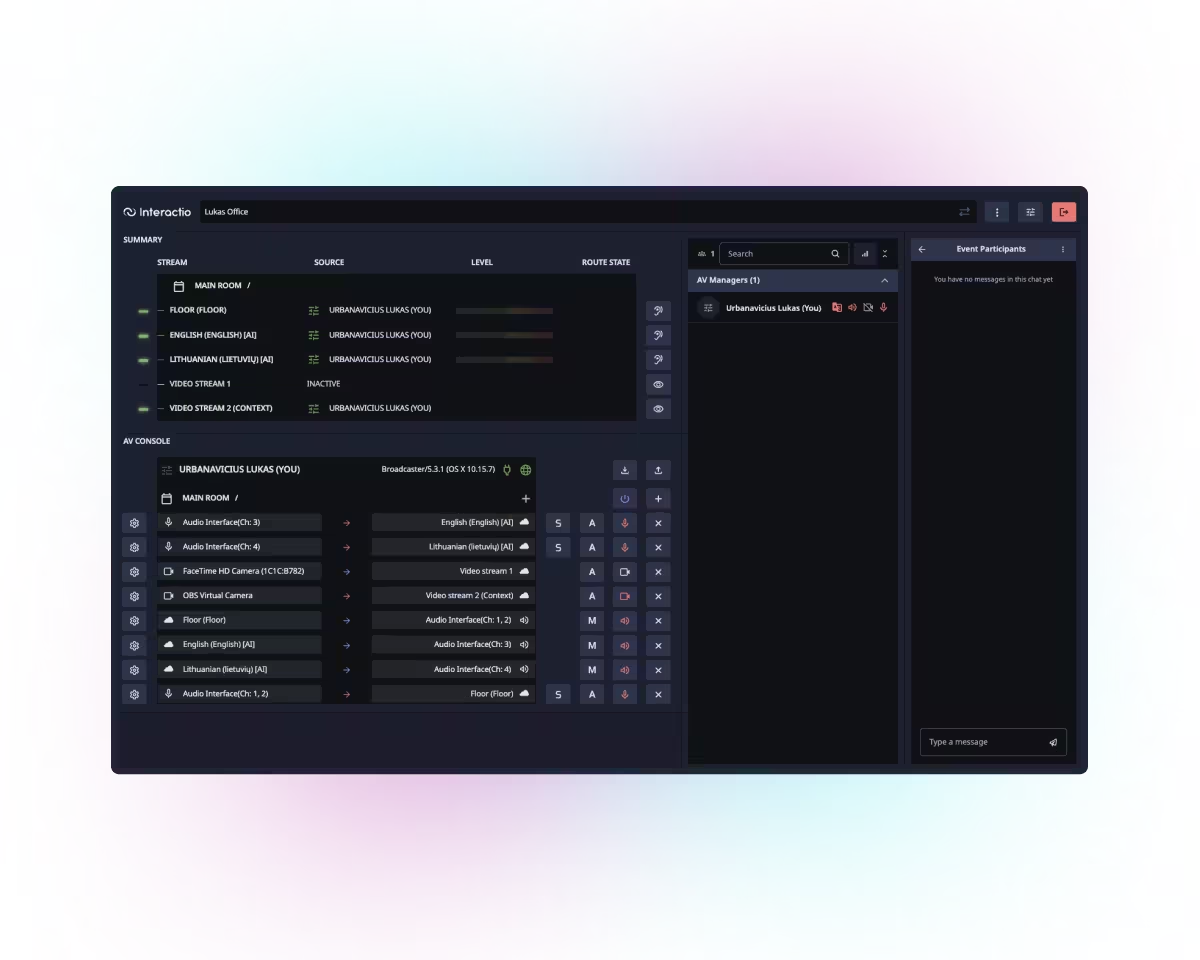
Interactio AV console showing video and audio channel monitoring

AV console

Channel control for AV technicians

Technicians run every video and audio channel from the AV console. They monitor interpretation, message participants and interpreters, and stream the feed to and from other platforms.

UniConnect

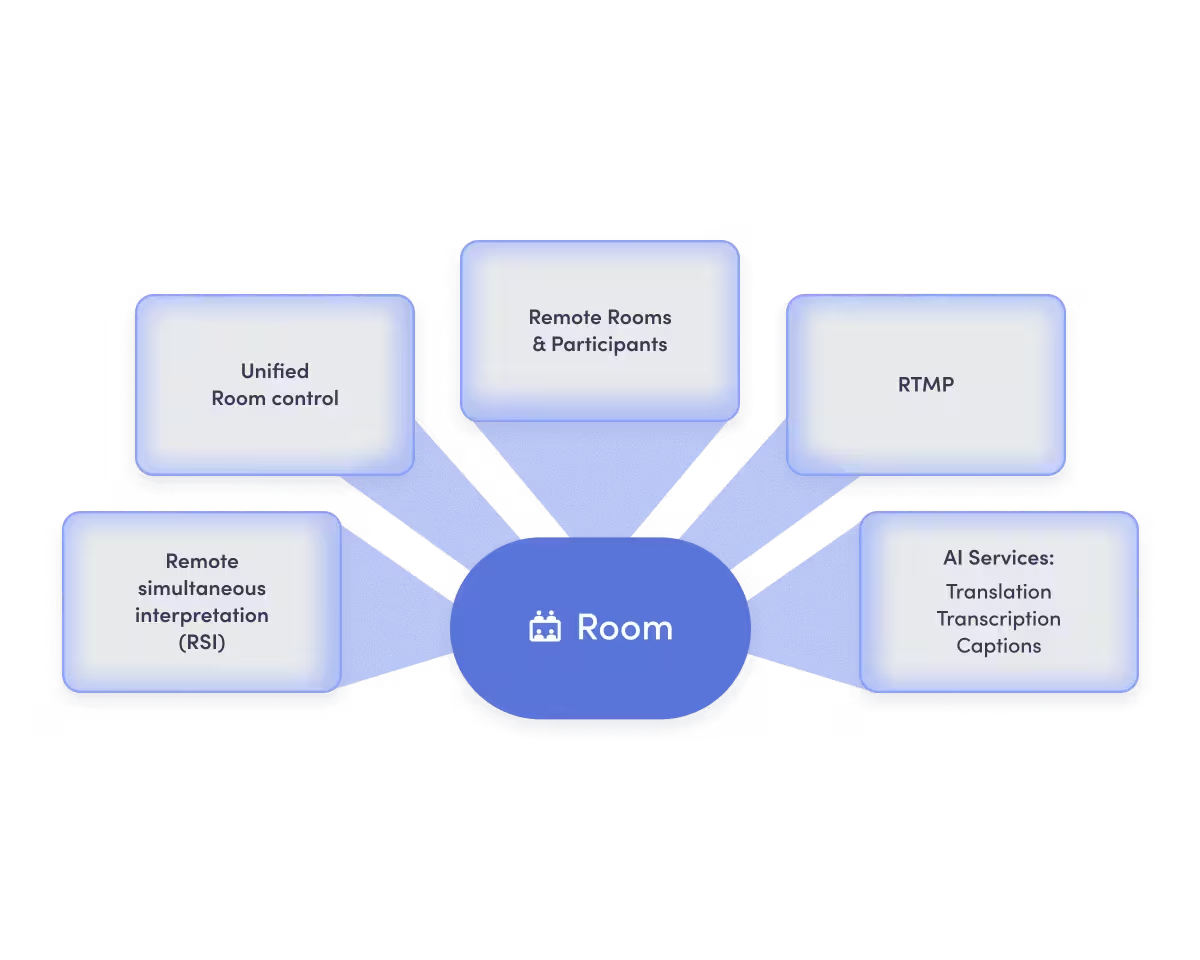
Room-to-cloud software bridge

UniConnect connects conferencing hardware already installed in a room to Interactio's cloud platform. UniConnect adds AI translation, remote simultaneous interpretation, two-way audio and video with remote participants, streaming, and unified room control, without replacing the hardware already there.

    See UniConnect
    Interactio UniConnect bridging installed room hardware to the Interactio cloud platform

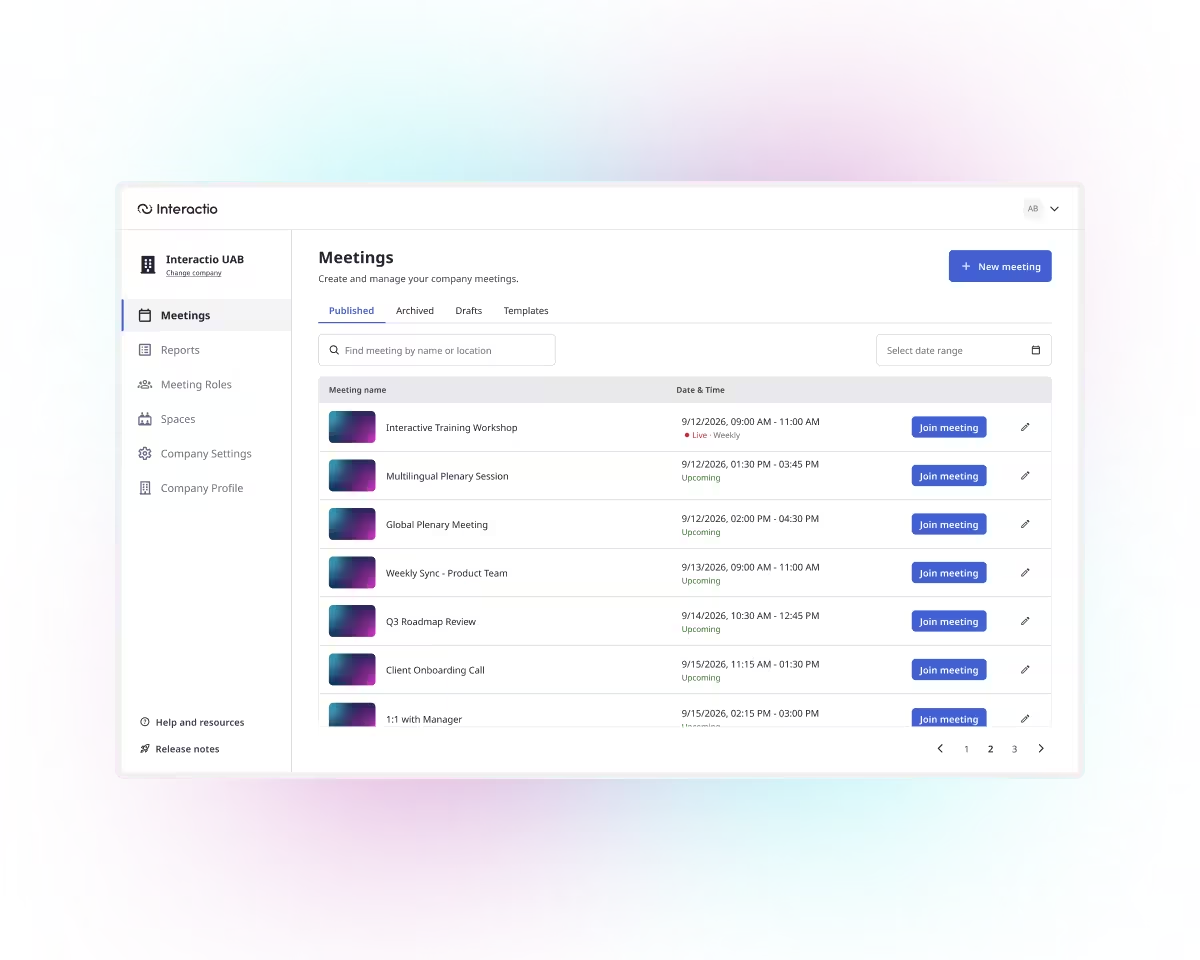
    Event Panel

    One panel to set up the whole meeting

    Event organizers set up and customize each meeting from a single Event Panel. Organizers set the date and time, choose interpretation languages, invite participants, interpreters, and moderators, and configure breakout rooms if the session needs them.

      Interactio Event Panel showing meeting setup and language configuration

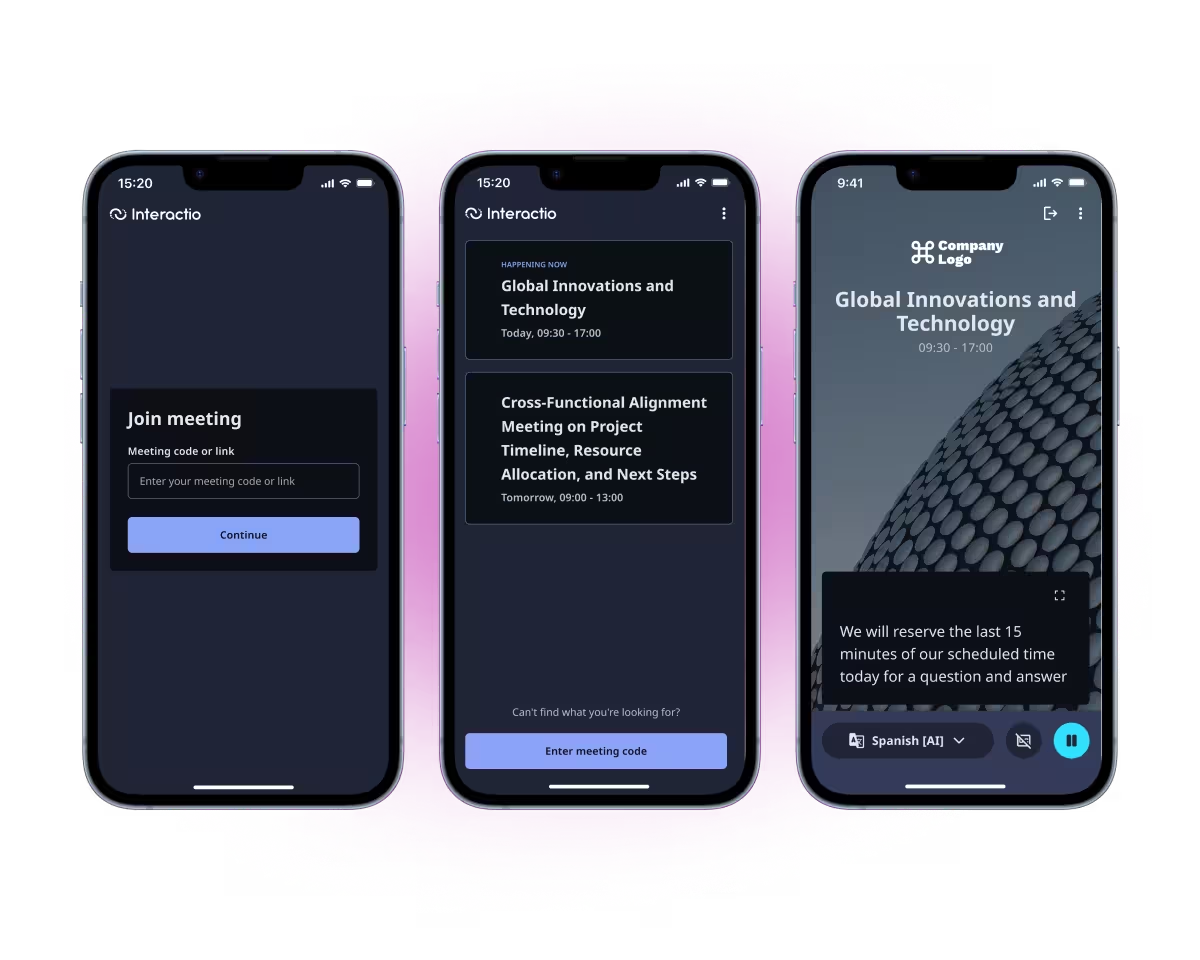
      Interactio mobile app

      The Interactio mobile app for listeners

      The Interactio mobile app streams live interpretation to listeners' own phones or tablets. Listeners join with an event code, or the app finds the session by location, with no device setup needed from the organizer.

        Listener following live interpretation on a phone through the Interactio mobile app

        More capabilities

        More of the conference platform

        Beyond the consoles, Interactio covers the day-to-day controls, the AI layer, hardware integration and streaming, and the security that runs underneath every meeting.

        Everyday controls for running the room

        Meeting tools cover the day-to-day controls for running a session: a waiting room, a break room, an audio analyzer, and room locking.

        AI translation, captions, and transcription

        Interactio AI services add speech-to-speech and speech-to-text translation, live captions, and multilingual transcription on top of human interpretation. AI can run alongside a human interpreter, or take over the channel automatically when none is present.

        Hardware integration and RTMP streaming

        Integrations connect the platform to conferencing hardware already installed in a room. Streaming sends any session out over RTMP to the platforms already in use.

        Security and compliance, underneath every meeting

        Compliance, end-to-end encryption, and field-level encryption run underneath every meeting on the Interactio platform.

        See the platform in action

        Tell Interactio about your meetings, and Interactio shows you the consoles that fit.

        Talk to sales

        Platform overview

        Frequently asked questions

        Can Interactio work with existing conferencing hardware?

        Yes. The AV console and UniConnect both connect to hardware already installed in a room rather than replacing it.

        Can onsite and remote participants join the same meeting?

        Yes. The Participant console gives both the same interface, language selection, and floor controls in the same session.

        Does the platform support AI translation as well as human interpretation?

        Yes. Interactio AI services add speech-to-speech and speech-to-text translation, captions, and transcription. AI can run alongside a human interpreter or take over automatically when none is present.

        Is Interactio ISO compliant?

        Yes. Interactio holds ISO 24019 compliance for interpretation and ISO 27001 compliance for security.

        Where is data stored?

        Interactio stores your data in the region you choose: the EU or North America. Interactio is an EU legal entity and manages encryption keys in-house.

        Can customers try the platform before committing?

        Yes. Request a demo to see the consoles and workflows in action.